> ## Documentation Index
> Fetch the complete documentation index at: https://docs.pvp.trade/llms.txt
> Use this file to discover all available pages before exploring further.
# Getting Started
### Setting up the bot
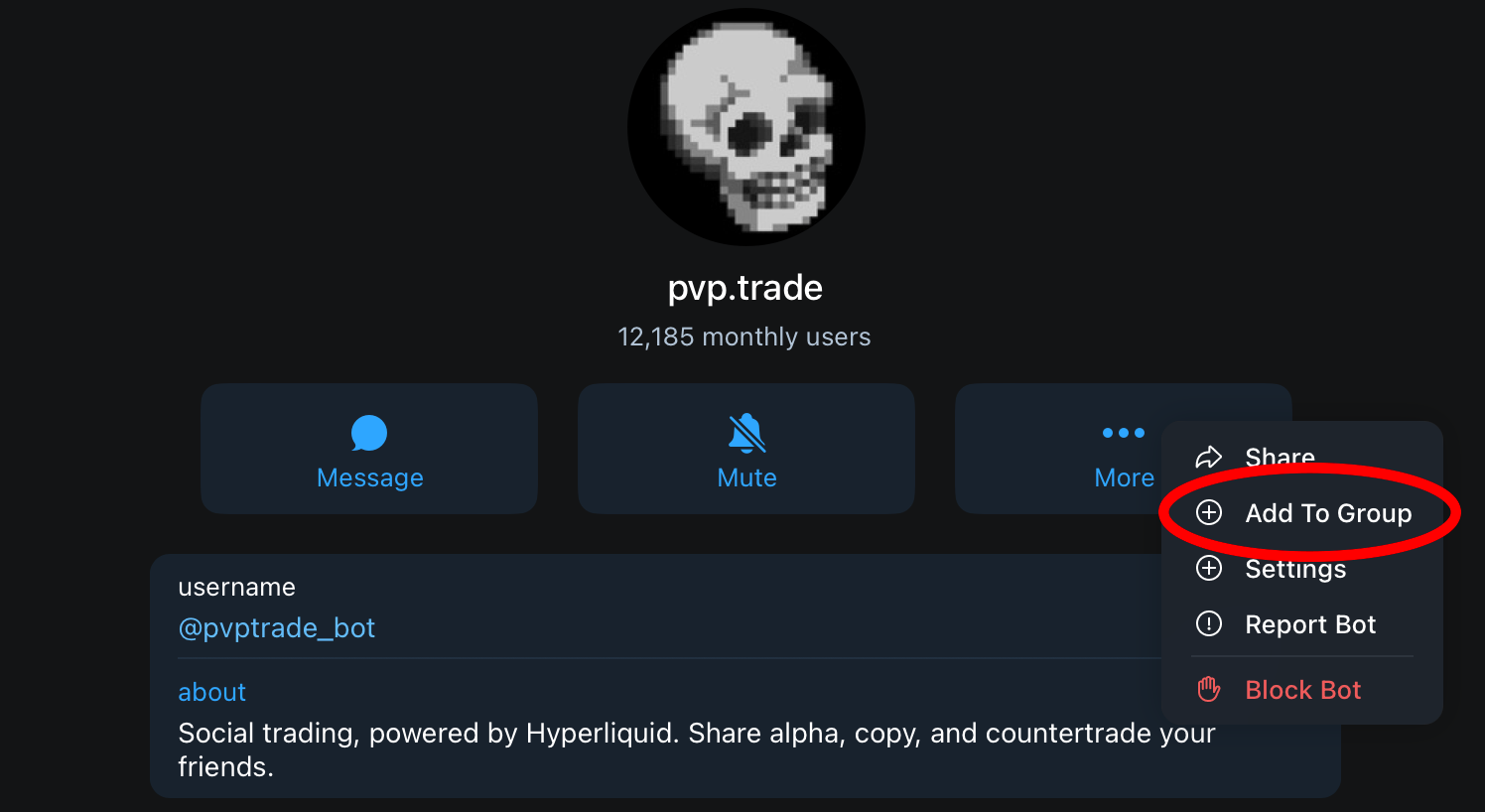
Open the [pvp.trade bot](https://t.me/pvptrade_bot) and run `/start` to begin. Next, add it to a group chat with your friends to get started!
 ### Depositing
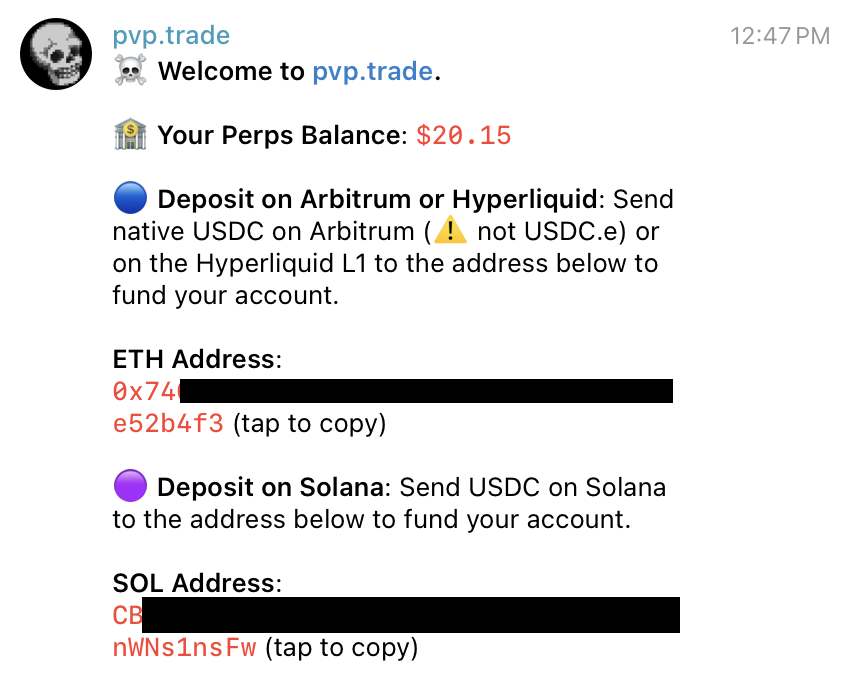
Next, deposit funds to your wallet. You can send either USDC on Hyperliquid, Arbitrum, or Solana. Run `/start` to view the addresses you can send to. You must deposit at least **10 USDC** to begin the bridging process.
### Depositing
Next, deposit funds to your wallet. You can send either USDC on Hyperliquid, Arbitrum, or Solana. Run `/start` to view the addresses you can send to. You must deposit at least **10 USDC** to begin the bridging process.
 ### Exploring tickers
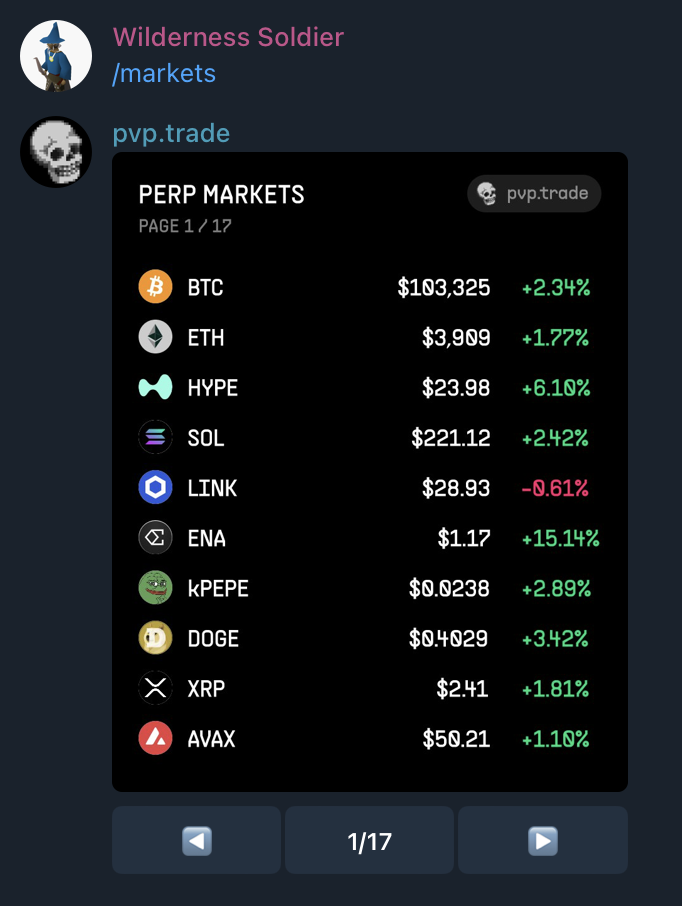
Use the `/markets` command to view the perps markets you can long or short.
### Exploring tickers
Use the `/markets` command to view the perps markets you can long or short.
 ### Opening your first position
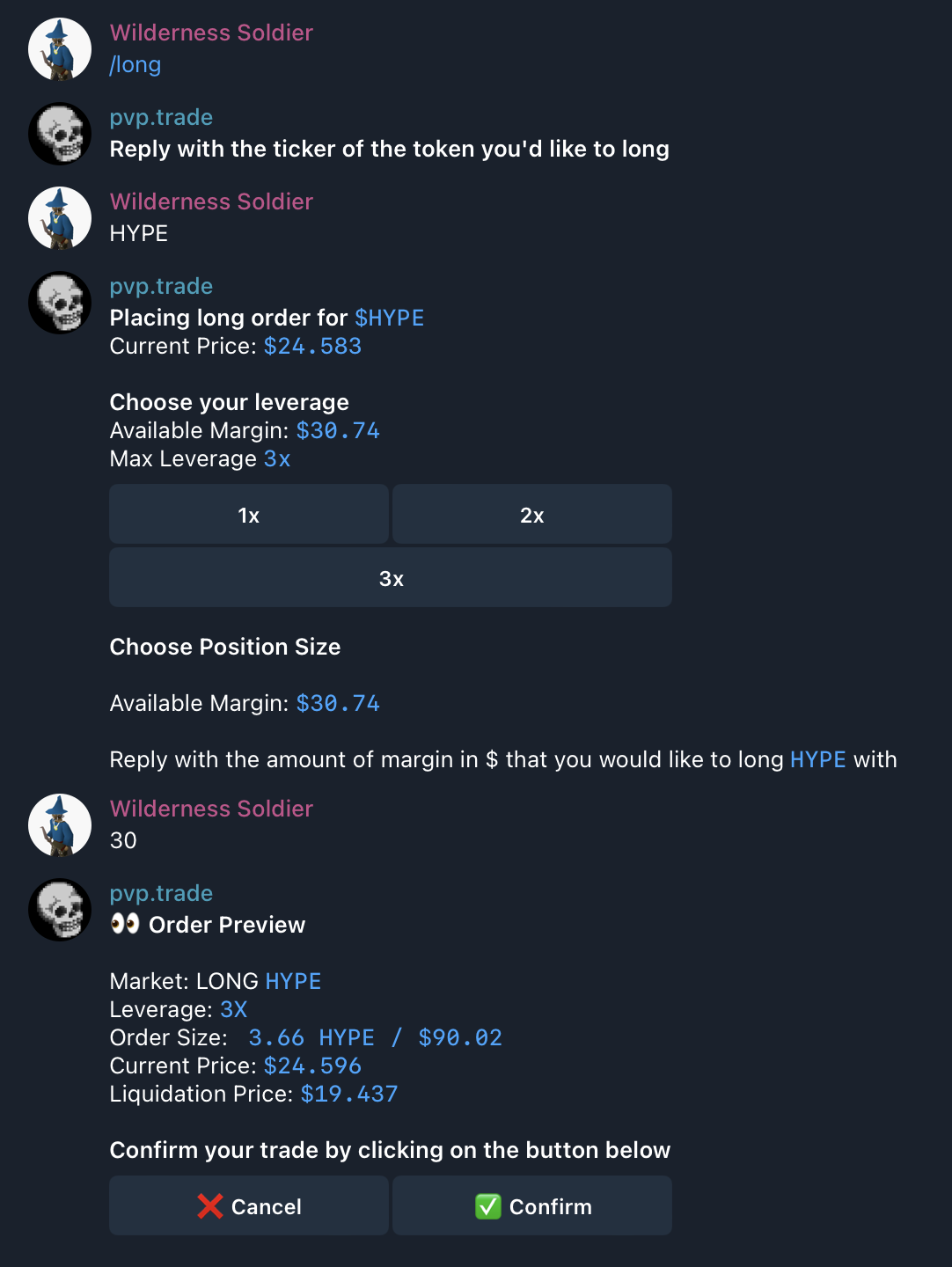
Once your account is funded, type /long or /short to open a position. You will then be prompted to choose the ticker, desired leverage, and margin. Next, a popup will indicate your notional position size (Leverage \* Margin) and your liquidation price. Select confirm to place the market order.
### Opening your first position
Once your account is funded, type /long or /short to open a position. You will then be prompted to choose the ticker, desired leverage, and margin. Next, a popup will indicate your notional position size (Leverage \* Margin) and your liquidation price. Select confirm to place the market order.
 The group chat you created will then be notified of your trade.
### Viewing your positions
Now that you have an open position, you can view your positions with the `/positions` command, either in DMs with the bot or publically in your group chat.
### You're done!
Congratulations, you've placed your first perp trade on PVP! Make sure to try out other commands like:
* `/leaderboards` — see the group leaderboard
* `/chart` — view the chart for a token
* `/stoploss` — to place a stop loss order
* `/takeprofit` — to place a take profit order
* `/track` — track a wallet's trades
* `/invite` — invite friends with your referral code
* `/points` — see how many points you have
* `/taunt` — taunt another clan with a message
And remember, don't get liquidated.
The group chat you created will then be notified of your trade.
### Viewing your positions
Now that you have an open position, you can view your positions with the `/positions` command, either in DMs with the bot or publically in your group chat.
### You're done!
Congratulations, you've placed your first perp trade on PVP! Make sure to try out other commands like:
* `/leaderboards` — see the group leaderboard
* `/chart` — view the chart for a token
* `/stoploss` — to place a stop loss order
* `/takeprofit` — to place a take profit order
* `/track` — track a wallet's trades
* `/invite` — invite friends with your referral code
* `/points` — see how many points you have
* `/taunt` — taunt another clan with a message
And remember, don't get liquidated.